


VideoDownloaderPro
3.710.00 Reviews
App Specs
- Version
- 1.11
- Updated On
- License
- Free
- Downloads
- 100,000+
- Developer
- Dituo Technology
- Categories
- Video Players & Editors
- Platform
- Android
Screenshots
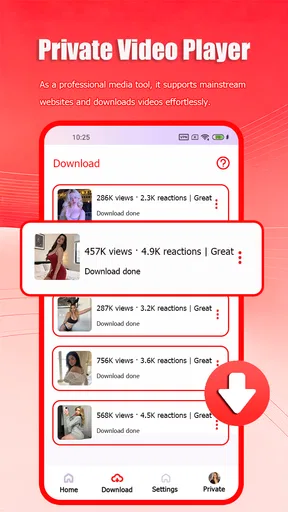
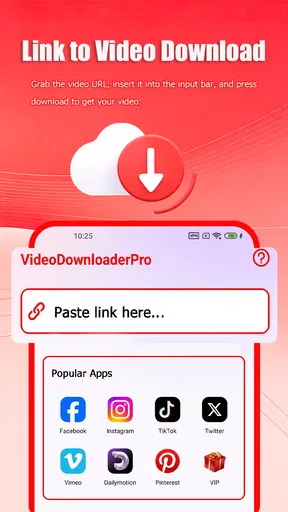
 Analysis by AppCompare
VideoDownloaderPro is the kind of Android app I would look at when I want one place for downloading videos and playing them in high definition. It sits in the video players and editors category, comes from Dituo Technology, and presents a straightforward idea: combine a downloader with a player instead of making me jump between separate tools. That combination is useful, but it also means the quality of my experience depends heavily on the network, the source of the video, and how carefully I manage storage and mobile data.
After spending time with it, my impression is that this is aimed at people who want a practical video utility rather than a full editing studio. The app is free to install, rated for Everyone, and works on Android 8.0 or later. It has reached over 100 thousand installs, with an average rating of 3.7 from around 52 ratings and 10 written reviews. Those figures suggest a modest but real user base, while also hinting that expectations should stay realistic: this is a focused tool, not necessarily a polished replacement for every video app on a phone.
How connectivity shapes the everyday experience
I find connectivity shapes the everyday experience before playback even begins: a reliable connection makes preparing a video feel simple, while a weak one can turn a quick task into something to revisit later. I’d plan around that difference rather than assume every download will be ready on demand. The next question is how to make that preparation fit naturally into an ordinary day.
Why the network matters from the first tap
The downloader side naturally depends on a reliable connection. A fast connection makes the app feel direct: choose a video, begin the transfer, and move on to something else. A weak or unstable connection changes the experience completely. Waiting becomes part of the process, and a download that looks simple can turn into repeated checking, especially when I am using mobile data or moving between Wi-Fi areas.
That is the first important trade-off with this type of app. A dedicated player can often open a file already stored on the phone without depending on a fresh connection, while a downloader must first obtain that file. VideoDownloaderPro is therefore most useful when I plan ahead. If I know I will have a long trip, a poor signal, or limited access to a network, starting the process while connected to dependable Wi-Fi is the sensible approach.
I would not treat the phrase “Ultra HD Player” as a promise that every source will automatically look perfect. Picture quality still depends on the original video, the available version, the display, and the connection used during acquisition. The player can be valuable for handling high-quality material, but it cannot create detail that was never present in the source.
A realistic phone scenario
Imagine I am leaving home for a commute and want to watch a tutorial later. The useful workflow is to identify the video while I still have a stable connection, start the download, and check that the file appears available before leaving. If I wait until I am already on the train, a crowded network or patchy signal can make the same task frustrating. The app’s value in that situation comes less from speed alone and more from giving me a way to prepare before connectivity becomes uncertain.
Worth Reading Before You Choose

EA SPORTS FC Mobile 26 Is a Bigger Football Game, but It Takes Time

Flipboard Shows What News Apps Must Do Beyond the Feed

Switching to Android Auto Means Rethinking Your Driving Routine

Google Calendar Makes a Crowded Week Easier to Manage

Ludo King Makes the Most of the Minutes Between Plans

Baby Panda World Brings Quick Play to Modern Phones, but Its Game Library Feels Busy
This also changes how I judge the app against ordinary streaming. Streaming services are usually more convenient when I have a strong connection and want immediate playback. A downloader and player becomes more appealing when I want to separate the retrieval moment from the viewing moment. That separation is helpful, but it requires more attention from me than simply pressing play.
Using it across different mobile contexts
On a home Wi-Fi network, VideoDownloaderPro makes the most sense as a preparation tool. I can begin a transfer without worrying as much about cellular usage, then use the player later when I want a larger screen experience or a quieter viewing session. On mobile data, I would be more cautious. High-definition files can consume a meaningful amount of data, so I would avoid starting a large transfer casually while away from Wi-Fi.
For a student, the app may fit a workflow involving video lessons, demonstrations, or reference material. For a commuter, it may be useful when preparing content before a journey. For someone who records and edits videos professionally, however, the category is important: this is primarily a video downloader and player, not a substitute for a dedicated editor with timelines, trimming controls, color tools, captions, and export management.
I also see a difference between occasional and frequent use. Someone who downloads a few videos for personal viewing may appreciate the convenience of a combined tool. Someone who manages a large media library will probably care more about naming, organization, storage controls, and transfer reliability than the basic idea of downloading. Before choosing this app for that heavier routine, I would test how naturally it fits the way I already organize files.
What happens when a transfer goes wrong
Network interruptions are where a downloader proves whether it is genuinely convenient. A smooth start is easy to appreciate, but the more revealing moment is a stalled or failed transfer. In practice, I would avoid assuming that every interrupted job will recover exactly as expected. I would check the download state, confirm that the connection is working again, and retry rather than repeatedly tapping the same control without understanding what happened.
This is one of the app’s practical limitations: the overall experience is not controlled by the player alone. A video can be perfectly playable once obtained, yet the path to obtaining it may still be affected by signal quality, source availability, or the phone’s remaining storage. That means I judge the tool as a chain of steps, not just as a playback screen.
My preferred recovery routine is simple. First, I stop wasting mobile data if the connection is unstable. Next, I return to a dependable Wi-Fi network, inspect whether the file was completed, and only then retry an incomplete transfer. If storage is tight, I clear space before starting again. This avoids the common mistake of treating every failure as a network problem when the phone itself may be the limiting factor.
Storage and data deserve deliberate choices
A downloader turns network consumption into local storage consumption. That exchange is easy to overlook. A high-quality video may be pleasant to watch, but keeping many large files can quickly make a phone feel crowded. I would decide in advance which videos are worth retaining and remove temporary material after watching it.
There is also a useful quality trade-off. If I only need to follow spoken instructions or review a short demonstration, the highest available quality may be unnecessary. If the video contains small text, diagrams, or detailed footage, higher quality becomes more worthwhile. Choosing quality based on the purpose of the video is more sensible than selecting the maximum option every time.
The best habit is to treat each download as a planned data-and-storage decision, not as a harmless tap. I would use Wi-Fi for larger files, keep an eye on free space, and avoid collecting videos simply because they are easy to save. This matters even more on phones with limited capacity, where a few forgotten files can affect photos, updates, and other everyday tasks.
Where the app fits beside familiar alternatives
Compared with a standard streaming player, VideoDownloaderPro offers a different rhythm. Streaming is immediate and usually simpler when the connection is good, but it keeps the viewing experience tied to the network. A downloader lets me prepare content first, then use the player afterward. That is the main reason I would choose it over a streaming-only routine.
Compared with a file manager, the app is more focused on video use. A file manager may be better for moving, renaming, or sorting many kinds of files, while this app’s appeal is the combination of obtaining video and watching it. Compared with a full video editor, it is narrower. I would not install it expecting sophisticated creative controls; I would install it when playback and downloading are the central tasks.
The right choice depends on the inconvenience I am trying to remove. If my problem is “I want to watch immediately,” a regular streaming app may be better. If my problem is “I want to prepare video before my connection becomes unreliable,” this app has a clearer purpose. If my problem is “I need to cut, caption, and produce video,” I would choose an editor instead.
What the version and pricing mean in practice
The current version is 1.11, and the app is free to download. That makes it easy to try without committing money at the start. There are in-app purchases ranging from $0.99 to $4.99 per item, so I would pay attention to any optional purchase prompt and decide whether the extra value matches my actual usage rather than assuming the free installation includes everything.
For occasional use, the free entry point is attractive. I can evaluate whether the downloader fits my connection habits, whether the player handles the videos I care about, and whether the interface feels comfortable before spending anything. For frequent use, I would consider the cost alongside reliability: a paid option is only worthwhile if it removes a genuine annoyance in my routine.
The Everyone content rating also makes the app broadly approachable from an age-rating perspective. That does not remove the need for normal judgment about the videos being accessed or stored, but it does make the app feel suitable as a general-purpose utility rather than something designed for a narrow adult audience.
Small workflow improvements that make a difference
One useful approach is to separate “watch later” files from “keep permanently” files. I would download a video for a specific purpose, watch it, and then decide whether it deserves long-term storage. This keeps the app from becoming an unplanned archive and makes it easier to notice when space is being used inefficiently.
Another is to match the download moment to the strongest connection available. Starting a large transfer just before leaving a Wi-Fi network creates unnecessary risk. Beginning earlier gives the process more time and makes it easier to verify completion. This is a simple change, but it directly addresses the app’s biggest dependency: connectivity.
A third is to test a short or less important video before relying on the app for a larger viewing plan. That lets me understand the workflow, check how the player behaves with my preferred material, and learn where completed files are presented. It is better than discovering during a trip that my chosen video was never fully prepared.
Who should use it, and who should skip it?
I would recommend VideoDownloaderPro to someone who regularly moves between strong and weak connections, wants a dedicated place for video playback, and is comfortable managing downloads manually. It is especially sensible for people who like preparing content in advance rather than depending on uninterrupted streaming every time they want to watch.
I would be less enthusiastic for someone who only watches videos at home on a fast, dependable connection. In that case, streaming may be simpler and require less storage management. I would also point creative professionals toward a proper editor, because downloading and playing video are not the same as producing it.
People who dislike monitoring storage or retrying network-dependent tasks should also think carefully. The app can make video handling more convenient, but it does not remove the practical responsibilities that come with saving media locally. Its usefulness grows when I am organized; it becomes less appealing when I expect everything to happen automatically.
My connectivity verdict
My final view is that VideoDownloaderPro is a focused, approachable utility with a clear use case: prepare videos through a connection and watch them through a dedicated player afterward. Its strongest quality is the way it brings those two steps together. Its main weakness is equally clear: the experience can become inconvenient when the network is unreliable, mobile data is limited, or storage is already crowded.
Dituo Technology has positioned the app for everyday video handling rather than advanced editing. With a 3.7 average and a growing install base, it looks like a tool worth trying, but not one I would recommend blindly to every phone user. I would choose it for planned downloads, travel preparation, and situations where streaming is not dependable. I would skip it in favor of a normal streaming service for instant viewing, or a full editor for serious production work.
My recommendation is conditional but positive: install it if your video routine is shaped by changing connectivity and you value preparing content ahead of time. Start with a small test, use Wi-Fi for larger files, keep storage under control, and judge the app by how well it fits your own viewing habits. Used that way, it can be a practical companion rather than just another video icon on the phone.
Pros
- Downloads videos for offline viewing with a simple workflow.
- Supports saving files directly to your device storage.
- Useful for watching content without a stable internet connection.
- Quick access to previously downloaded videos.
- Clean interface that is easy for new users to understand.
Cons
- Download availability may vary by website and video format.
- Some features may require in-app purchases or a subscription.
- Downloaded files can use significant storage space.
- The app may show ads during browsing or downloading.
- Downloading copyrighted content may violate platform rules or local laws.
FAQs for VideoDownloaderPro
What is VideoDownloaderPro and what can I use it for?
VideoDownloaderPro is designed to help users save online video content for later viewing, depending on the websites and platforms it supports. After installing the app, you can generally paste a video link or use its built-in browser and download controls. Its main appeal is offline playback, but availability and functionality may vary by device, operating system, source website, and the permissions required.
Is VideoDownloaderPro free to download and use?
The app may be available as a free download, but some features can depend on in-app purchases, advertising, subscriptions, or platform-specific limitations. Before installing, check the official store listing for the current pricing model, supported features, and any trial terms. It is also worth confirming whether downloads, background activity, or ad removal require payment, since these details can change with updates.
Which video websites and formats does VideoDownloaderPro support?
Support is not necessarily universal. VideoDownloaderPro may work with selected websites and commonly used formats, but certain services can block downloading, require authentication, use protected streams, or change their technical systems without notice. The available quality and file type may also depend on the original video. Review the app’s current compatibility information before relying on it for a particular platform or format.
Is downloading videos with VideoDownloaderPro legal and safe?
The app itself does not automatically make every download legal. You should only save videos when you have permission, the content is offered for offline use, or the download is allowed by the platform’s terms and applicable copyright laws. Avoid entering sensitive account details into unofficial pages, and download VideoDownloaderPro only from a trusted source. Also review requested permissions and privacy information before use.
Where are downloaded videos stored, and can I watch them offline?
Downloaded files are typically saved inside the app, in a designated device folder, or in a location selected through the app’s settings. Some downloads may be available only through VideoDownloaderPro, while others can appear in the system file manager or media library. Storage requirements depend on resolution and duration, so check available space and confirm whether the app supports offline playback after the download is complete.


